Showing posts with label Monitor. Show all posts

Tips for Cleaning LED Screens on TVs and Monitors

Cleaning the LED screen on a TV or monitor can be done in various ways. However, the most important thing is that when we clean the LED screen, we use materials that can actually damage our LED screen. So, what kind of materials can and cannot be used? The materials that can be used to clean the LED TV / Monitor screen are clean cloth, soft, dry, with a type of microfiber cloth or the like. Meanwhile, what we should not use are rough and dirty, even wet cloths, tissue paper, window cleaners, paint thinner, gasoline and other chemicals.

A dirty LED screen, be it on a television or computer monitor, is usually caused by adhering dust, water splashes, dirt from cigarette smoke and so on. If we don't clean it immediately, then the dirt will move and it will be more difficult to clean. In addition, the dirt will give the impression of being neglected.
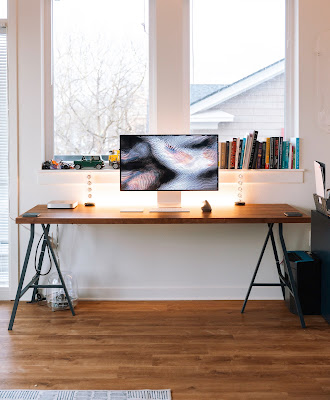
Tips for Cleaning LED Screens on TVs and Monitors
Here are some ways to clean the LED screen either on a TV or on a computer monitor that we can recommend for you to do.

The first step that we highly recommend when you are going to clean the LED screen is to make sure that our TV/Monitor is off and not connected to electricity. In other words, you have to unplug the power cord from the wall outlet. This step aims to avoid the possibility of a short circuit when we clean the tv or monitor screen if we clean it using water or other liquids. Especially for those of you who are afraid of electric shock, this step is very helpful. Not only that, the main goal is to clean the screen, it will not damage the pixels of the TV or monitor screen. Because, if you leave it on, it's likely that the pixels of the TV will be damaged. In addition, in this way it cools the television that is always on, so that at the same time it can save electricity.

How to Clean TV and Monitor LED Screens

The next step is, when the TV/monitor machine is cold you can start cleaning it. But first, prepare the materials or tools, such as the cloth mentioned above, which is a soft and dry cloth.

The reason is, the cloth is used to clean the dusty LED screen. So, if you use a rough cloth, then the surface of the screen will be scratched. The safest way to clean the LED screen is to first wipe the screen slowly or gently all over the screen using a dry microfiber cloth. Do not let it clean by pressing too hard, because it will also damage the screen.
Cleaning LED Screens on TVs and Monitors
And if there is still dirt stuck to it, then you can use Screen Cleaner (cleaning liquid). But never spray the liquid directly onto the screen, but just onto the cloth. For stubborn dirt or difficult to remove even after cleaning, you can wipe it by pressing. However, the pressure when cleaning the LED screen is a little hard, not too hard, with the help of cleaning fluid. The cleaning fluid or Screen Cleaner, although it can be used, should not be used too often, it should be used as needed. The reason is, if you clean the LED television screen or monitor too often using chemical liquids, then of course it can damage the pixels or the surface of the screen.

Cleaning the LED TV Screen and Monitors with Vinegar and Water

Apart from this chemical screen cleaner, another liquid that can be used to clean a TV screen or LED type monitor is vinegar mixed with plain water.

Who would have thought that vinegar, which is beneficial for food and health, can also be useful for cleaning dirty LED screen. The method is very easy, namely mixing white vinegar with clean water in a bowl or other container. After mixing the two ingredients, don't spray directly onto the screen. Because it can damage the TV screen or monitor permanently. But it is enough to dip a soft cloth or microfiber end into the bowl that already has vinegar and plain water.
Cleaning the LED TV Screen and Monitors with Vinegar and Water
Cleaning the LED TV Screen and Monitors with Vinegar and Water
After that, gently wipe the cloth used to clean the LED screen. That way, stubborn dirt and dust can be immediately removed. However, there are several television products from other manufacturers that provide advice. You can use water, but it is recommended according to the instructions on your TV. Especially the water according to the recommended dose.

While the chemical-based Screen Cleaner is good for cleaning LED screens, there are some other chemicals that shouldn't be used. These materials include Ethyl Chloride, Acetone, Ethyl Alcohol and Ammonia. This is because these chemicals can permanently damage the screen. These liquids are generally used in nail polish remover, paint thinner or paint solvent, and windex. In addition, soap, gasoline and scouring powder should not be used to clean the LED screen.

Meanwhile, cloth materials that are prohibited for cleaning TV or monitor screens are non-ultrasoft materials or materials that are categorized as rough. Examples are towels, tissue paper, toilet paper and other materials with a rough texture. If you use this material, it will release an anti-glare layer on the surface of the screen, and it can also cause permanent damage.

If you've finished cleaning the LED screen, then let it dry completely, before turning your television or monitor back on.

Here are a few tips that we can provide for those of you who want to clean your own LED TV or monitor screen. Hope it can help you.
Read more...

Asus VS247H-P Full-HD LED-Lit Wide LCD Monitor

Asus VS247H-P Full-HD LED-Lit Wide LCD Monitor is built from the ground up for use in an office environment with embedded power adapter into the design while still remaining slim and stylish. This monitor is VESA compatible, so you can place them neatly on the wall. The VS monitor gives visual quality full HD LED backlit display and provide brighter than non - LED backlit monitor. By the time the ultra-fast 2ms response, enjoy smooth motion playback for videos and movies. The first monitor will perform in Corporate famous program (CSM) Stable Model, VS-Series monitor secured in a stable supply for a minimum of one year so you can order the same model without worrying about it being discontinued, and the swap include advanced replacement service, you should save time unit requires service. This monitor is EPEAT Gold and ENERGY STAR certified to reduce environmental impact and save energy costs.
Asus VS247H-P Full-HD LED-Lit  Wide LCD Monitor
Asus VS247H-P Full-HD LED-Lit Wide LCD Monitor

Asus VS247H-P Specs and Feature :

  • Slim Form Factor - Brand new Slim and Elegant design.
  • Full HD displays.
  • Display Type: Wide Screen TFT LCD w/ LED Backlight.
  • Max/Native Resolution: 1920 x 1080.
  • 2ms response times.
  • LED backlit with 50,000,000:1 ASUS Smart Contrast Ratio; Full 1080P with HDMI.
  • Built-in power adapters.
  • Interface: 1x VGA Port, 1x DVI-D Port, 1x HDMI Port. 
  • VESA Mountable.
  • Versatile viewing positions with Smart View Technology.
  • Advanced connectivity for to connect your PCs or notebooks.
  • Splendid Video Intelligence Technology quick image presets.
  • ASUS Rapid Replacement service for quick product replacement.
  • EPEAT Gold and ENERGY STAR certified.
  • Corporate Stable Model ensuring 1 year stable supply and advanced swap.
Asus VS247H-P Full-HD LED-Lit LCD Monitor
The Asus VS247H-P monitor is able to adjust with a tilt even with the base that comes with it. The monitor comes with a VGA cable and a DVI cable. You can buy an HDMI cable, but DVI is the same signal minus the HDMI's audio channel. I prefer DVI on a PC, unless I'm hooking to speakers/headphone connected to the audio output jack on the monitor. With IPS (In-Plane-Switching) is a new technology for LCD displays that offers users wider viewing angles and bolder colors by allowing more light to pass through the panel. Consequently, IPS panels can exhibit a slight glow around the edges and corners, which is entirely normal.
Asus VS247H-P Full-HD LED-Lit LCD Monitor Back Side
Asus VS247H-P Full-HD LED-Lit Wide LCD Monitor are several sizes to choose from: 21.5 Inch, 23 Inch, 23.6 Inch, 24 Inch, 27 Inch and well. More inputs give you more options for customizing your PC setup like setting up multiple displays. HDMI connectivity delivers both high-definition audio and video in one streamlined cord to external monitors, projectors, and compatible TVs.

VS247H-P Full-HD LED-Lit LCD Monitor equipped with ASUS Smart Contrast Ratio (ASCR), ASCR is a dynamic contrast ratio that measures how dark a screen can get. With high dynamic contrast ratios of 50,000,000:1, delivers a more defined image especially while watching night scenes in movies, giving presentations, or playing games.
Asus VS247H-P Full-HD LED-Lit LCD Monitor Side View
Asus VS247H-P Full-HD LED-Lit LCD Monitor has a source button next to the power, and you can click between inputs. I leave a VGA and a HDMI plugged in all the time. If only one channel has a signal it will auto-detect that and switch to it. But if you're on one source already it won't auto-switch if you bring another on line.

This Monitor also equipped with ASUS Splendid Video Intelligence Technology, or Splendid for short, this is a quick image setting selectable through buttons on the monitor. Featuring different scenario settings ranging from game to scenario modes, choose your preferred one for your task.
Read more...

Widescreen LCD Monitor - Display MultiSync LCD8205 82" 1920 x1080 5000:1


Widescreen LCD Monitor -
Display MultiSync LCD8205 82" 1920 x1080 5000:1


Technical Details :
  • Brand Name : NEC
  • Model : LCD8205
  • Display Size : 82 inches/

Product Features :
  • Video Interface : Component, Composite, Hdmi, S-Video
  • Pc Interface : Dvi, Vga (Hd-15)
  • Technology : Tft Active Matrix ( S-Pva )
  • Additional Features : Temperature Sensor, Portrait Mode, Tilecomp, Tilematrix
  • Image Aspect Ratio : 16:9

While it is modest in size and features it is equally modest in price making this the perfect monitor for the avid Farmville player that feels like they need just a few more inches in order to make the game worth playing. It has a great picture and all, but it doesn't have a special laser that stuns burglars and annoying houseguests like the salesman said.

It works perfectly and it has very good quality!!! I would recomend this to anyone!
Read more...